
CyberDefenders_NintendoHunt Lab
Overview
Hi Geeks, Here is my writeup for NintendoHunt LAB. My approach is a bit different, I focus on how to think through the lab, not just how to solve the Qs.
hope you enjoy it.
First I started with vol3
started with usual steps to with volatility, like pslist and pscan but i notice something is stranger the svchosts.exe is repeat a lot!!!, I think is so stranger so let’s digging
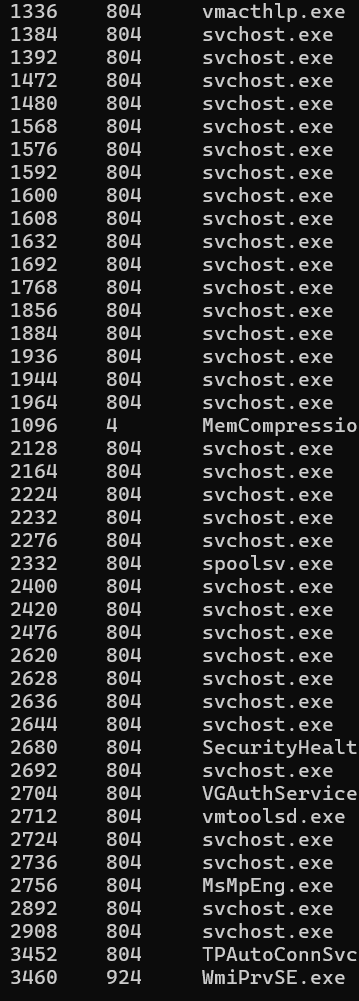
In the order I found this malicious process, I think will help us later

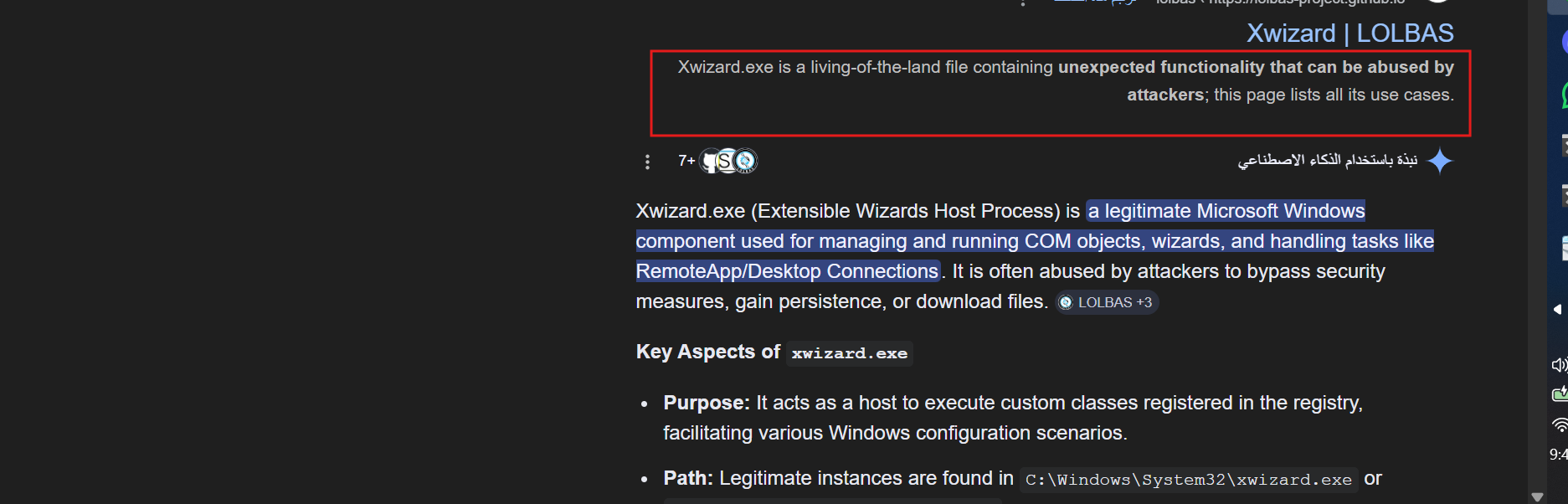
when I started with cmdline, i notice the same things with repeat of svchost.exe so let’s more focus

wait a minute, I think this abnormal cuz svchost.exe - is not in correct path should be in
C:\Windows\System32\svchost.exe
and there are is abnormal thing, I notice that
so let’s investigate in it

when investigating in svchost.exe PID 8560

I notice the parent process of the svchost.exe is 4824 this is explorer.exe and this is abnormal
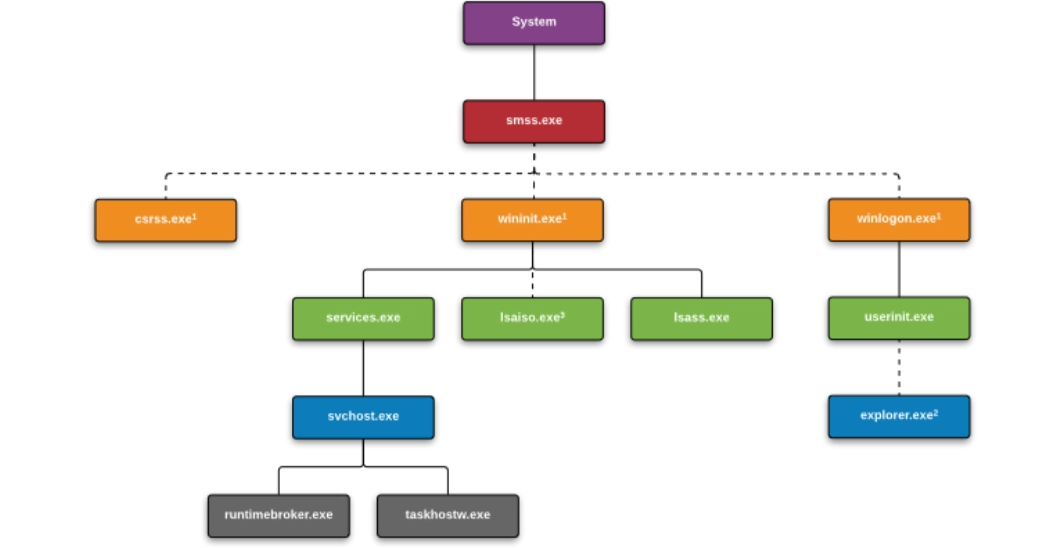
so this is malicious process
in the Q

I will try a lot to get the MAC from netscan and didin’t got it
when i searched to that’s should in this path
HKLM\SYSTEM\CurrentControlSet\Services\Tcpip\Parameters\Interfaces\{Interface-GUID}
but i didn’t found anything, so let’t digging into it
                   I think this note may help U

Windows keeps a fingerprint for every network it connects to
so it can recognize it later.

For example:

Home Wi-Fi
University network
Office LAN
Public hotspot

Each network gets a unique signature stored in the registry.
SOFTWARE\Microsoft\Windows NT\CurrentVersion\NetworkList\Signatures
Inside Signatures there are usually two folders:
Managed
Unmanaged
-----------
Unmanaged
Networks not controlled by Active Directory
Managed
Networks controlled by domain infrastructure (corporate networks)
U can usw volatility or MemProcFS to get the answer
so let’s using volatility to get the Unmanaged to get the machine default gateway
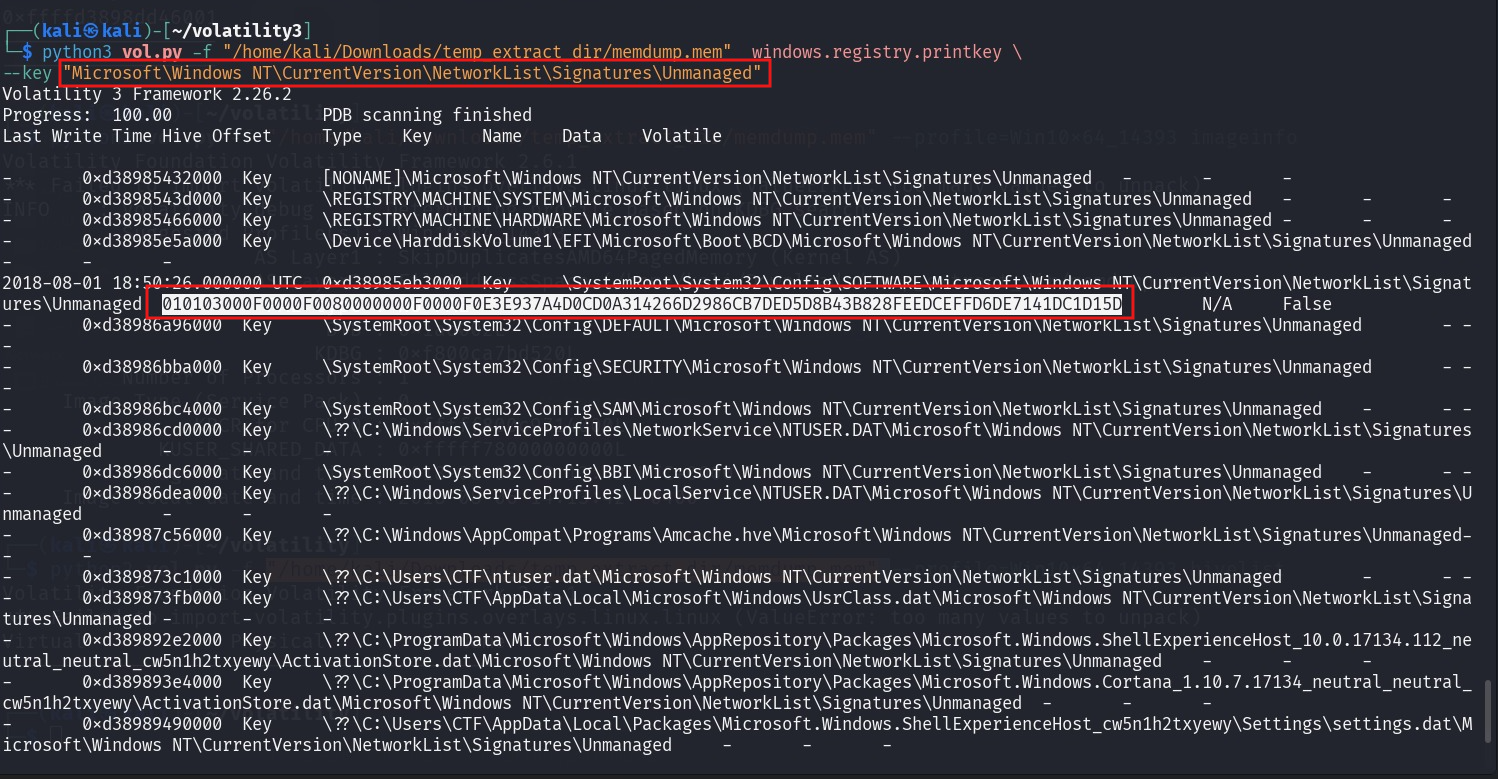
I found one subkey, let’s check it, yahh U will get the MAC address
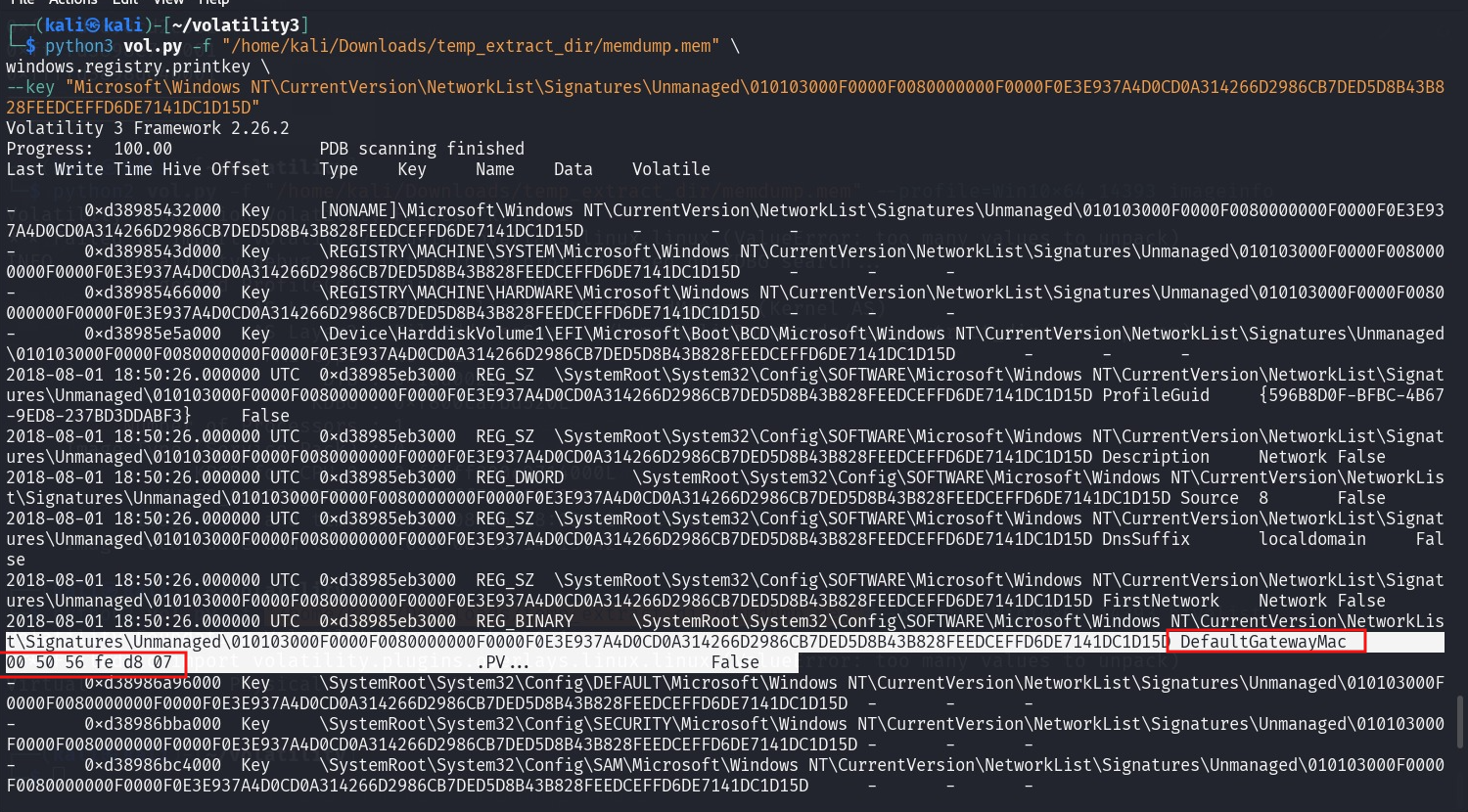
OR using MemProcFS to get it
M:\registry\HKLM\SOFTWARE\Microsoft\Windows NT\CurrentVersion\NetworkList\Signatures\Unmanaged\


------
in last 2 Q U can usemftparser to get the ans.
mftparser → analyze the MFT entries ( short file name ,file record , …)
For this Q U need to search in mft entraies, Using “txt” or “$DATA” U will find it


U will get the hidden file in ADS

For this Q

just need to search in mft entaries using "www.13cubed.com" U will get the path
--------
Hope U enjoy it